728x90
반응형
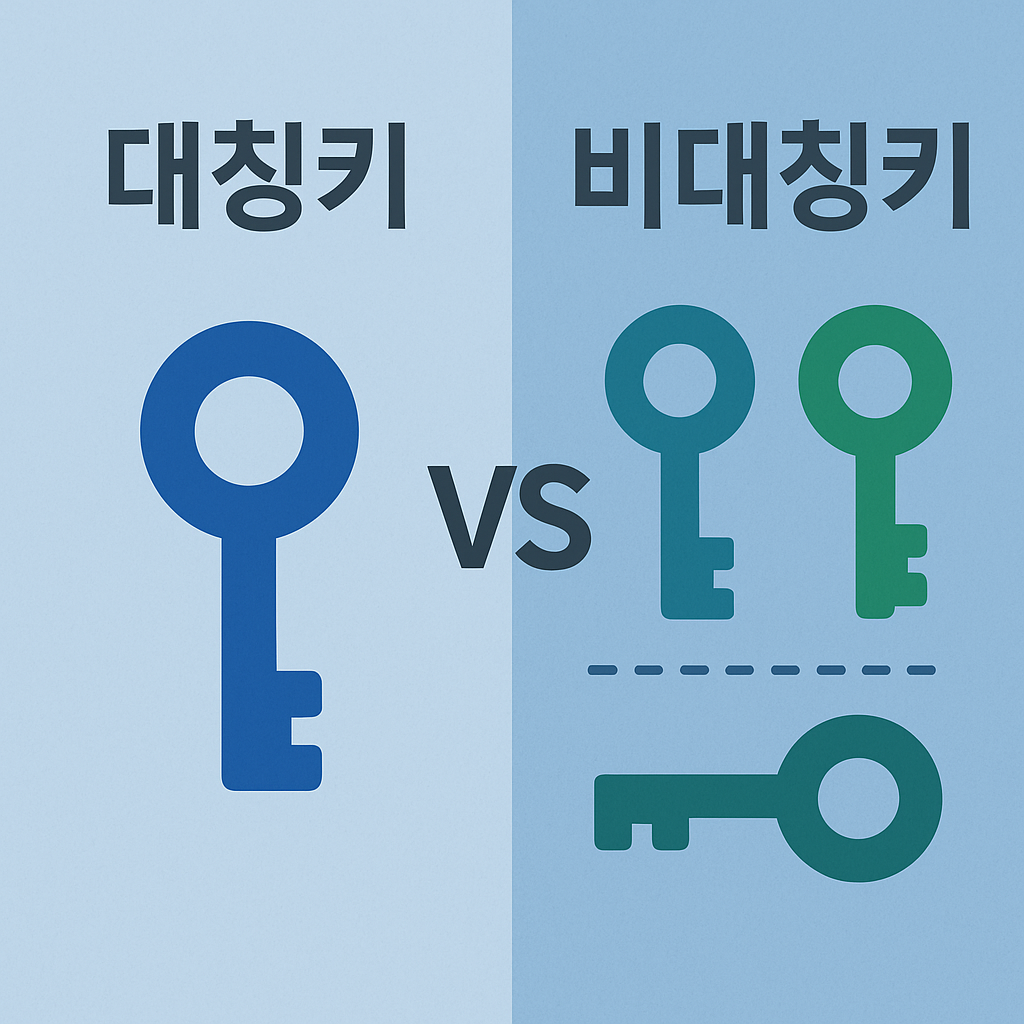
대칭키 vs 비대칭키 암호화
모든 코드는 깃허브에서 볼수 있습니다.
암호화는 현대 디지털 보안의 핵심 기술입니다. 우리가 매일 사용하는 HTTPS, SSH, 디지털 서명 등 모든 것이 암호화 기술을 기반으로 합니다. 이 글에서는 암호화의 두 가지 주요 방식인 대칭키 암호화와 비대칭키 암호화에 대해 자세히 알아보겠습니다.
암호화의 기본 개념
암호화는 정보를 보호하기 위해 평문(Plaintext)을 암호문(Ciphertext)으로 변환하는 과정입니다.
- 평문(Plaintext): 원본 데이터
- 암호문(Ciphertext): 암호화된 데이터
- 키(Key): 암호화와 복호화에 사용되는 비밀 정보
- 암호화(Encryption): 평문을 암호문으로 변환
- 복호화(Decryption): 암호문을 평문으로 변환
대칭키 암호화 (Symmetric Key Encryption)
개념
대칭키 암호화는 암호화와 복호화에 동일한 키를 사용하는 방식입니다.
평문 + 동일한 키 → 암호문
암호문 + 동일한 키 → 평문
특징
- 빠른 속도: 단일 키로 암호화/복호화하므로 처리 속도가 빠름
- 적은 리소스: CPU와 메모리 사용량이 적음
- 키 분배 문제: 안전한 키 전달이 어려움
대표 알고리즘
- AES (Advanced Encryption Standard): 현재 가장 널리 사용
- DES (Data Encryption Standard): 구식 알고리즘 (현재는 취약)
- 3DES (Triple DES): DES를 3번 적용한 방식
IV(Initialization Vector)란?
IV는 같은 평문을 같은 키로 암호화해도 다른 암호문이 나오도록 하는 역할을 합니다.
IV가 필요한 이유:
- 패턴 방지: 같은 평문을 암호화할 때마다 다른 결과가 나와야 함
- 재사용 공격 방지: 같은 키로 여러 번 암호화해도 안전
- 무작위성 보장: 암호문이 예측 불가능하게 만듦
IV 사용 규칙:
- 매번 새로운 IV 생성: 같은 IV를 재사용하면 안됨
- 암호문과 함께 저장: 복호화할 때 필요
- 공개해도 안전: IV는 비밀이 아니므로 암호문과 함께 전송 가능
CBC vs GCM 차이점
| 구분 | AES-256-CBC | AES-256-GCM |
|---|---|---|
| 암호화 | O | O |
| 무결성 검증 | X | O (인증 태그) |
| 패딩 필요 | O | X |
| 병렬 처리 | 느림 | 빠름 |
| 실무 사용 | 거의 안 씀 | 표준, 강력 추천 |
| 공격 취약성 | 패딩 오라클 등 | 상대적으로 안전 |
CBC (Cipher Block Chaining)
- 각 블록을 암호화할 때 이전 암호문 블록을 XOR해서 연결(chain)하는 방식
- 무결성(위조 방지) 기능이 없음 → 암호문이 변조되어도 복호화 시 에러가 안 날 수 있음
- 패딩 필요, 패딩 오라클 공격 등 취약점 존재
GCM (Galois/Counter Mode)
- CTR(카운터) 모드 + Galois 필드 연산을 결합
- 암호화 + 인증(무결성) 제공 (Authenticated Encryption)
- 인증 태그가 다르면 복호화 자체가 실패 (데이터 위조 방지)
- 패딩 불필요, 병렬 처리에 유리, 빠름
- 실무에서는 GCM이 표준 (HTTPS, TLS, JWT 등)
GCM 인증 태그 검증 실패 예시 (Node.js)
const secretKey = crypto.randomBytes(32);
const nonce = crypto.randomBytes(12);
const cipher = crypto.createCipheriv("aes-256-gcm", secretKey, nonce);
let encrypted = cipher.update("hello", "utf8", "hex");
encrypted += cipher.final("hex");
const authTag = cipher.getAuthTag();

// 인증 태그를 일부러 변조
const decipher = crypto.createDecipheriv("aes-256-gcm", secretKey, nonce);
decipher.setAuthTag(Buffer.from("00000000000000000000000000000000", "hex"));
try {
  let decrypted = decipher.update(encrypted, "hex", "utf8");
  decrypted += decipher.final("utf8");
} catch (e) {
  console.log("GCM 인증 태그 검증 실패! 예외 발생:", e.message);
}
정상 인증 태그: d7cc8b897b49ab508f04f68d2b5b4280
암호문: bc32ce9f35
GCM 인증 태그 검증 실패! 예외 발생: Unsupported state or unable to authenticate data결론
- 새로운 서비스/시스템에서는 반드시 GCM을 사용하세요!
- CBC는 더 이상 안전하지 않으니, 레거시 호환이 아니라면 피하는 것이 좋습니다.
CBC 모드가 더 이상 안전하지 않은 이유
1. 패딩 오라클 공격(Padding Oracle Attack)
- CBC는 평문이 블록 크기의 배수가 아니면 패딩을 추가합니다.
- 복호화 시 패딩이 잘못되면 에러가 발생합니다.
- 공격자가 암호문을 조작하고 서버의 에러 메시지(패딩 에러/정상 여부)를 반복적으로 관찰하면, 평문 일부를 알아낼 수 있습니다.
- 실제로 TLS/SSL, ASP.NET 등에서 이 취약점이 발견되어 큰 이슈가 됐습니다.
2. 무결성(위조 방지) 기능이 없음
- CBC는 암호화만 제공하고, 데이터가 변조되었는지(위조) 검증할 방법이 없습니다.
- 암호문이 중간에 바뀌어도 복호화 시 에러가 안 나거나, 엉뚱한 평문이 나올 수 있습니다.
- 공격자가 암호문을 조작해서 원하는 평문 일부를 만들 수도 있습니다(비트 플리핑 공격).
3. IV(초기화 벡터) 재사용 문제
- CBC에서 같은 키와 IV로 여러 번 암호화하면, 평문 패턴이 노출될 수 있습니다.
- IV를 잘못 관리하면 보안이 크게 약화됩니다.
4. 실무에서의 권고
- CBC는 더 이상 새로운 시스템에서 사용하지 말 것(권고)
- TLS 1.3, JWT, 클라우드 환경 등에서는 모두 GCM(혹은 다른 인증된 모드)만 허용
5. 실제 사례
- 2011년 BEAST 공격(TLS CBC 취약점)
- 2013년 Lucky13 공격
- ASP.NET Padding Oracle 취약점 등
결론:
- CBC는 암호화만 제공, 무결성(위조 방지)이 없음
- 패딩 오라클 공격 등 치명적 취약점 존재
- 실무에서는 반드시 GCM(Authenticated Encryption) 사용 권장
CBC 테스트 코드
const crypto = require("crypto");

class SymmetricEncryptionExample {
  static main() {
    const plainText = "안녕하세요! 이것은 대칭키 암호화 테스트입니다.";

    // AES-256 키 생성 (32바이트)
    const secretKey = crypto.randomBytes(32);

    console.log("=== 대칭키 암호화 예제 (GCM 모드) ===");
    console.log("평문:", plainText);
    console.log("키 길이:", secretKey.length * 8, "비트");

    // GCM 암호화 (권장)
    const encryptedData = this.encrypt(plainText, secretKey);
    console.log("GCM 암호화된 데이터:", encryptedData);

    // GCM 복호화
    const decryptedText = this.decrypt(encryptedData, secretKey);
    console.log("GCM 복호화된 텍스트:", decryptedText);

    // 검증
    console.log("GCM 암호화/복호화 성공:", plainText === decryptedText);

    // GCM 인증 태그 변조 시도 (무결성 검증 실패 예시)
    console.log("\n=== GCM 인증 태그 변조 시도 (실패 예시) ===");
    try {
      const tampered = {
        ...encryptedData,
        authTag: "00000000000000000000000000000000",
      };
      this.decrypt(tampered, secretKey);
    } catch (e) {
      console.log("GCM 인증 태그 검증 실패! 예외 발생:", e.message);
    }

    // Nonce의 중요성 시연
    this.demonstrateNonceImportance(plainText, secretKey);
  }

  static encrypt(plainText, secretKey) {
    // Nonce 생성 (12바이트) - GCM은 12바이트 nonce 권장
    // Nonce는 암호화할 때마다 새로 생성되어야 하며, 복호화할 때도 필요함
    const nonce = crypto.randomBytes(12);

    // AES-256-GCM 모드로 암호화 (권장)
    const cipher = crypto.createCipheriv("aes-256-gcm", secretKey, nonce);

    let encrypted = cipher.update(plainText, "utf8", "hex");
    encrypted += cipher.final("hex");

    // 인증 태그 생성 (무결성 검증용)
    const authTag = cipher.getAuthTag();

    // Nonce, 암호문, 인증 태그를 함께 반환 (복호화 시 모두 필요함)
    return {
      nonce: nonce.toString("hex"),
      encrypted: encrypted,
      authTag: authTag.toString("hex"),
    };
  }

  static decrypt(encryptedData, secretKey) {
    // Nonce를 Buffer로 변환
    const nonce = Buffer.from(encryptedData.nonce, "hex");

    // AES-256-GCM 모드로 복호화
    const decipher = crypto.createDecipheriv("aes-256-gcm", secretKey, nonce);

    // 인증 태그 설정 (무결성 검증)
    decipher.setAuthTag(Buffer.from(encryptedData.authTag, "hex"));

    let decrypted = decipher.update(encryptedData.encrypted, "hex", "utf8");
    decrypted += decipher.final("utf8");

    return decrypted;
  }

  // Nonce의 중요성을 시연하는 함수
  static demonstrateNonceImportance(plainText, secretKey) {
    console.log("\n=== Nonce의 중요성 시연 ===");

    // 같은 평문을 여러 번 암호화
    const encrypted1 = this.encrypt(plainText, secretKey);
    const encrypted2 = this.encrypt(plainText, secretKey);
    const encrypted3 = this.encrypt(plainText, secretKey);

    console.log("같은 평문을 3번 암호화한 결과:");
    console.log("1번째 암호문:", encrypted1.encrypted.substring(0, 32) + "...");
    console.log("2번째 암호문:", encrypted2.encrypted.substring(0, 32) + "...");
    console.log("3번째 암호문:", encrypted3.encrypted.substring(0, 32) + "...");

    console.log(
      "모든 암호문이 다른가?",
      encrypted1.encrypted !== encrypted2.encrypted &&
        encrypted2.encrypted !== encrypted3.encrypted &&
        encrypted1.encrypted !== encrypted3.encrypted
    );

    // 복호화 검증
    const decrypted1 = this.decrypt(encrypted1, secretKey);
    const decrypted2 = this.decrypt(encrypted2, secretKey);
    const decrypted3 = this.decrypt(encrypted3, secretKey);

    console.log(
      "모든 복호화가 성공했는가?",
      decrypted1 === plainText &&
        decrypted2 === plainText &&
        decrypted3 === plainText
    );
  }
}

// 실행
if (require.main === module) {
  SymmetricEncryptionExample.main();
}

module.exports = SymmetricEncryptionExample;
=== 대칭키 암호화 예제 (GCM 모드) ===
평문: 안녕하세요! 이것은 대칭키 암호화 테스트입니다.
키 길이: 256 비트
GCM 암호화된 데이터: {
nonce: '6b16072c298ed06a270753ec',
encrypted: '59f33d8f1982f7eb007542ebd384f1c6f78449e0b5ee8299b81660be73d3df3217ac831c18d21e9d1974e40af41b383932c5f6a3a621d4ab8826866524758bbfe779',
authTag: '3368c687d2d67af84642a3a73c9acc7c'
}
GCM 복호화된 텍스트: 안녕하세요! 이것은 대칭키 암호화 테스트입니다.
GCM 암호화/복호화 성공: true
=== GCM 인증 태그 변조 시도 (실패 예시) ===
GCM 인증 태그 검증 실패! 예외 발생: Unsupported state or unable to authenticate data
=== Nonce의 중요성 시연 ===
같은 평문을 3번 암호화한 결과:
1번째 암호문: 676b8b61444d3600d487b31090ff33d6...
2번째 암호문: 673d3c4491058d160668a6adbeed2925...
3번째 암호문: 44221e6046a6396dea0399750e473aed...
모든 암호문이 다른가? true
모든 복호화가 성공했는가? true비대칭키 암호화 (Asymmetric Key Encryption)
개념
비대칭키 암호화는 암호화와 복호화에 서로 다른 키를 사용하는 방식입니다.
- 공개키(Public Key): 누구나 알 수 있는 키 (암호화용)
- 개인키(Private Key): 소유자만 알고 있는 키 (복호화용)
평문 + 공개키 → 암호문
암호문 + 개인키 → 평문
특징
- 안전한 키 분배: 공개키는 공개해도 안전
- 느린 속도: 복잡한 수학적 연산으로 인해 처리 속도가 느림
- 많은 리소스: CPU와 메모리 사용량이 많음
- 디지털 서명: 개인키로 서명, 공개키로 검증 가능
대표 알고리즘
- RSA: 가장 널리 사용되는 비대칭키 알고리즘
- ECC (Elliptic Curve Cryptography): RSA보다 짧은 키로 동일한 보안 수준
- DSA (Digital Signature Algorithm): 디지털 서명 전용
RSA 테스트 코드
const crypto = require("crypto");

class AsymmetricEncryptionExample {
  static main() {
    const plainText = "안녕하세요! 이것은 비대칭키 암호화 테스트입니다.";

    // RSA 키쌍 생성
    const { publicKey, privateKey } = crypto.generateKeyPairSync("rsa", {
      modulusLength: 2048,
      publicKeyEncoding: {
        type: "spki",
        format: "pem",
      },
      privateKeyEncoding: {
        type: "pkcs8",
        format: "pem",
      },
    });

    console.log("=== 비대칭키 암호화 예제 ===");
    console.log("평문:", plainText);
    console.log("공개키 길이:", publicKey.length, "바이트");
    console.log("개인키 길이:", privateKey.length, "바이트");

    // 공개키로 암호화
    const encryptedText = this.encrypt(plainText, publicKey);
    console.log("암호화된 텍스트:", encryptedText);

    // 개인키로 복호화
    const decryptedText = this.decrypt(encryptedText, privateKey);
    console.log("복호화된 텍스트:", decryptedText);

    // 검증
    console.log("암호화/복호화 성공:", plainText === decryptedText);
  }

  static encrypt(plainText, publicKey) {
    const encrypted = crypto.publicEncrypt(
      {
        key: publicKey,
        padding: crypto.constants.RSA_PKCS1_OAEP_PADDING,
        oaepHash: "sha256",
      },
      Buffer.from(plainText, "utf8")
    );
    return encrypted.toString("base64");
  }

  static decrypt(encryptedText, privateKey) {
    const decrypted = crypto.privateDecrypt(
      {
        key: privateKey,
        padding: crypto.constants.RSA_PKCS1_OAEP_PADDING,
        oaepHash: "sha256",
      },
      Buffer.from(encryptedText, "base64")
    );
    return decrypted.toString("utf8");
  }
}

// 실행
if (require.main === module) {
  AsymmetricEncryptionExample.main();
}
=== 비대칭키 암호화 예제 ===
평문: 안녕하세요! 이것은 비대칭키 암호화 테스트입니다.
공개키 길이: 451 바이트
개인키 길이: 1704 바이트
암호화된 텍스트: QaFRMjMpl8JiQd6lwXaACM8a6WGJWX0NiDBIBLYG7bdr0fTDpTDMxbwNQ4m/q2BaLvAPLn9p/X0IsuJq0qs5nGT6XAPZC32RPkdCi+7+QWXZqU0AqpGvolPnLh8RrPcV5mz1IK3f3hlMDsDydmQVD6s9eUWAmta/L+EaRymvGtI2RSe6OBm10Rl3ZbbKgofSvsqkIszU+wYVqpkhOIeSiYmN1eMLbprgfCbwyy614s3WXdwiGxckKroAR8up0Ct7lWZr+iCOvzmmeXojy0ctXdatDDY4y20uehmsREpUyRrY010Zkl0rUOIFrY+VFtGeXszJSDI8fHvqLVxzLTA7ug==
복호화된 텍스트: 안녕하세요! 이것은 비대칭키 암호화 테스트입니다.
암호화/복호화 성공: true
=== RSA 제한사항 시연 ===
짧은 텍스트 길이: 6 바이트
긴 텍스트 길이: 300 바이트
짧은 텍스트 암호화/복호화: 성공
긴 텍스트 암호화 실패: error:0200006E:rsa routines::data too large for key size
→ 이것이 하이브리드 암호화가 필요한 이유입니다!실제 사용 사례
디지털 서명
전자 문서의 무결성과 인증을 보장합니다.
const crypto = require("crypto");

class DigitalSignatureExample {
  static main() {
    const message = "이 문서는 디지털 서명이 적용되었습니다.";

    // RSA 키쌍 생성
    const { publicKey, privateKey } = crypto.generateKeyPairSync("rsa", {
      modulusLength: 2048,
      publicKeyEncoding: {
        type: "spki",
        format: "pem",
      },
      privateKeyEncoding: {
        type: "pkcs8",
        format: "pem",
      },
    });

    console.log("=== 디지털 서명 예제 ===");
    console.log("원본 메시지:", message);

    // 개인키로 서명
    const signature = this.sign(message, privateKey);
    console.log("서명:", signature);

    // 공개키로 서명 검증
    const isValid = this.verify(message, signature, publicKey);
    console.log("서명 검증 결과:", isValid);

    // 메시지가 변경된 경우 검증
    const modifiedMessage = "이 문서는 디지털 서명이 적용되었습니다. (수정됨)";
    const isModifiedValid = this.verify(modifiedMessage, signature, publicKey);
    console.log("수정된 메시지 검증 결과:", isModifiedValid);
  }

  static sign(message, privateKey) {
    const sign = crypto.createSign("SHA256");
    sign.update(message);
    sign.end();

    const signature = sign.sign(privateKey, "base64");
    return signature;
  }

  static verify(message, signature, publicKey) {
    const verify = crypto.createVerify("SHA256");
    verify.update(message);
    verify.end();

    return verify.verify(publicKey, signature, "base64");
  }
}

// 실행
if (require.main === module) {
  DigitalSignatureExample.main();
}
=== 디지털 서명 예제 ===
원본 메시지: 이 문서는 디지털 서명이 적용되었습니다.
서명: m6I9Ry96Pa43Ex1x+1JlieX88FJxMl+M71Dm295o0KTNocR12X0NfXdznnRDLK6OkRhL+QvanwWUeI7Ln8Taq+rF7g+ZtBU6r9IUWUDcfVkKa1KEwhjtejBYJpw3KBZC3KLPyCce5YWyCnyLOUjH75zsCF0KSviJuGI2Xy1ew5d/0cyW3hsZXq3rJ0DljXLGxMD96rN9j+t4T0hJX5h44bz5L/McYM/nLMggEcyIdneUUy5q+gFGbgOx1cWJiYEp2o0Bp5aF9EbNSMwPcVmEtcDV+jfe37Q67BEd/7Xy+IxYGorZNujeZOp/l975ybKUYcT307fq8DV2oiogNqVxyw==
서명 검증 결과: true
수정된 메시지 검증 결과: false
=== 타임스탬프가 포함된 서명 예제 ===
타임스탬프 서명 결과: {
message: '이 문서는 타임스탬프가 포함된 디지털 서명이 적용되었습니다.',
timestamp: 1750574454025,
signature: 'ofWo1g81GL56XGemgKH9f6vBz2J4Up7umOKcqAlp8I21+ZAz57VMXGN9Gi4ixhzLiahfv5vbx7jKXackz5hsDNOV2dmkReexrjfO3RPR+NqHC0FI7OTZ1qDNaXiWdf2lDScVOuB/FVRiiL/TFCnVQMHkx04NuA/jSxRziyTY+mpI6ir71Bcu8kkBQvSzibfJFh70+sOreeoYU/Rhj24nFYS+vZVtGg+QdMY9yijAcdowhdX8d7yZmVmbhtfUr8pqwcCzLV9k2/MZ+709Ul0tzAInW6MmWiy4r4GJF11cIT9VJ/oZsBMWYDgar0n9n110jig6fRusciDD8pQq40w7xA=='
}
타임스탬프 서명 검증 결과: true
서명이 만료되었습니다. (경과 시간: 600001 ms)
만료된 서명 검증 결과: false하이브리드 방식
실제로는 대칭키와 비대칭키의 장점을 모두 활용하는 하이브리드 방식을 사용합니다.
동작 과정
- 비대칭키로 대칭키 교환: 안전한 키 분배
- 대칭키로 데이터 암호화: 빠른 암호화/복호화
장점
- 안전성: 비대칭키의 안전한 키 분배
- 성능: 대칭키의 빠른 처리 속도
- 실용성: 실제 환경에서 사용 가능한 수준의 성능
성능 비교
| 구분 | 대칭키 | 비대칭키 |
|---|---|---|
| 속도 | 빠름 | 느림 |
| 리소스 사용량 | 적음 | 많음 |
| 키 분배 | 어려움 | 쉬움 |
| 키 길이 | 128-256비트 | 1024-4096비트 |
| 주요 용도 | 대용량 데이터 암호화 | 키 분배, 디지털 서명 |
보안 고려사항
대칭키 암호화
- 키 관리: 안전한 키 저장 및 전송
- 키 교체: 정기적인 키 교체 필요
- 알고리즘 선택: AES-256 등 안전한 알고리즘 사용
- IV 관리: 매번 새로운 IV 생성, 절대 재사용 금지
비대칭키 암호화
- 키 길이: 최소 2048비트 권장
- 개인키 보호: 절대 공개하지 않음
- 인증서 관리: 공개키 인증서의 유효성 검증
하이브리드 방식 예제 코드
const crypto = require("crypto");

class HybridEncryptionExample {
  static main() {
    console.log("=== 하이브리드 암호화 예제 ===");

    // 대용량 데이터 시뮬레이션
    const largeData =
      "이것은 대용량 데이터를 시뮬레이션하기 위한 긴 텍스트입니다. " +
      "실제로는 파일이나 데이터베이스의 대용량 데이터를 암호화할 때 " +
      "비대칭키만 사용하면 매우 느리기 때문에 하이브리드 방식을 사용합니다. " +
      "대칭키로 데이터를 암호화하고, 비대칭키로 대칭키를 암호화하는 방식입니다.";

    // RSA 키쌍 생성
    const { publicKey, privateKey } = crypto.generateKeyPairSync("rsa", {
      modulusLength: 2048,
      publicKeyEncoding: { type: "spki", format: "pem" },
      privateKeyEncoding: { type: "pkcs8", format: "pem" },
    });

    console.log("원본 데이터 길이:", largeData.length, "바이트");
    console.log("공개키 길이:", publicKey.length, "바이트");
    console.log("개인키 길이:", privateKey.length, "바이트");

    // 하이브리드 암호화 (GCM 모드 사용)
    const encryptedPackage = this.hybridEncrypt(largeData, publicKey);
    console.log("\n하이브리드 암호화 결과:");
    console.log(
      "- 암호화된 데이터 길이:",
      encryptedPackage.encryptedData.length,
      "바이트"
    );
    console.log(
      "- 암호화된 키 길이:",
      encryptedPackage.encryptedKey.length,
      "바이트"
    );
    console.log("- Nonce:", encryptedPackage.nonce);

    // 하이브리드 복호화
    const decryptedData = this.hybridDecrypt(encryptedPackage, privateKey);
    console.log("\n하이브리드 복호화 결과:", decryptedData);
    console.log("하이브리드 암호화/복호화 성공:", largeData === decryptedData);

    // 성능 비교 시연
    this.performanceComparison(largeData, publicKey, privateKey);
  }

  // 하이브리드 암호화 (대칭키 + 비대칭키)
  static hybridEncrypt(largeData, publicKey) {
    // 1. 대칭키 생성 (AES-256)
    const symmetricKey = crypto.randomBytes(32);
    const nonce = crypto.randomBytes(12);

    // 2. 대용량 데이터를 대칭키로 암호화 (GCM 모드)
    const cipher = crypto.createCipheriv("aes-256-gcm", symmetricKey, nonce);
    let encryptedData = cipher.update(largeData, "utf8", "hex");
    encryptedData += cipher.final("hex");
    const authTag = cipher.getAuthTag();

    // 3. 대칭키를 공개키로 암호화
    const encryptedKey = crypto.publicEncrypt(
      {
        key: publicKey,
        padding: crypto.constants.RSA_PKCS1_OAEP_PADDING,
        oaepHash: "sha256",
      },
      symmetricKey
    );

    return {
      encryptedData: encryptedData,
      encryptedKey: encryptedKey.toString("base64"),
      nonce: nonce.toString("hex"),
      authTag: authTag.toString("hex"),
    };
  }

  static hybridDecrypt(encryptedPackage, privateKey) {
    // 1. 개인키로 대칭키 복호화
    const symmetricKey = crypto.privateDecrypt(
      {
        key: privateKey,
        padding: crypto.constants.RSA_PKCS1_OAEP_PADDING,
        oaepHash: "sha256",
      },
      Buffer.from(encryptedPackage.encryptedKey, "base64")
    );

    // 2. 대칭키로 데이터 복호화 (GCM 모드)
    const nonce = Buffer.from(encryptedPackage.nonce, "hex");
    const decipher = crypto.createDecipheriv(
      "aes-256-gcm",
      symmetricKey,
      nonce
    );
    decipher.setAuthTag(Buffer.from(encryptedPackage.authTag, "hex"));

    let decryptedData = decipher.update(
      encryptedPackage.encryptedData,
      "hex",
      "utf8"
    );
    decryptedData += decipher.final("utf8");

    return decryptedData;
  }

  // 성능 비교: 순수 RSA vs 하이브리드
  static performanceComparison(data, publicKey, privateKey) {
    console.log("\n=== 성능 비교: 순수 RSA vs 하이브리드 ===");

    const testData = data.substring(0, 100); // 100바이트로 제한 (RSA 제한)

    // 순수 RSA 암호화 시간 측정
    const rsaStart = Date.now();
    try {
      const rsaEncrypted = crypto.publicEncrypt(
        {
          key: publicKey,
          padding: crypto.constants.RSA_PKCS1_OAEP_PADDING,
          oaepHash: "sha256",
        },
        Buffer.from(testData, "utf8")
      );
      const rsaDecrypted = crypto.privateDecrypt(
        {
          key: privateKey,
          padding: crypto.constants.RSA_PKCS1_OAEP_PADDING,
          oaepHash: "sha256",
        },
        rsaEncrypted
      );
      const rsaTime = Date.now() - rsaStart;
      console.log(`순수 RSA (${testData.length}바이트): ${rsaTime}ms`);
    } catch (e) {
      console.log("순수 RSA 실패 (데이터가 너무 큼):", e.message);
    }

    // 하이브리드 암호화 시간 측정
    const hybridStart = Date.now();
    const hybridEncrypted = this.hybridEncrypt(data, publicKey);
    const hybridDecrypted = this.hybridDecrypt(hybridEncrypted, privateKey);
    const hybridTime = Date.now() - hybridStart;
    console.log(`하이브리드 (${data.length}바이트): ${hybridTime}ms`);

    console.log("하이브리드가 훨씬 빠르고 대용량 데이터도 처리 가능!");
  }

  // 파일 암호화 시뮬레이션
  static simulateFileEncryption() {
    console.log("\n=== 파일 암호화 시뮬레이션 ===");

    // 가상의 파일 데이터 (1MB)
    const fileData = "A".repeat(1024 * 1024); // 1MB

    const { publicKey, privateKey } = crypto.generateKeyPairSync("rsa", {
      modulusLength: 2048,
      publicKeyEncoding: { type: "spki", format: "pem" },
      privateKeyEncoding: { type: "pkcs8", format: "pem" },
    });

    console.log("파일 크기:", fileData.length, "바이트 (1MB)");

    const start = Date.now();
    const encrypted = this.hybridEncrypt(fileData, publicKey);
    const decrypted = this.hybridDecrypt(encrypted, privateKey);
    const time = Date.now() - start;

    console.log(`1MB 파일 암호화/복호화 시간: ${time}ms`);
    console.log("파일 무결성 검증:", fileData === decrypted ? "성공" : "실패");
  }
}

// 실행
if (require.main === module) {
  HybridEncryptionExample.main();

  // 파일 암호화 시뮬레이션도 실행
  HybridEncryptionExample.simulateFileEncryption();
}

module.exports = HybridEncryptionExample;
=== 하이브리드 암호화 예제 ===
원본 데이터 길이: 147 바이트
공개키 길이: 451 바이트
개인키 길이: 1704 바이트
하이브리드 암호화 결과:
- 암호화된 데이터 길이: 754 바이트
- 암호화된 키 길이: 344 바이트
- Nonce: 402fd9c1d6a266f6044b7eed
하이브리드 복호화 결과: 이것은 대용량 데이터를 시뮬레이션하기 위한 긴 텍스트입니다. 실제로는 파일이나 데이터베이스의 대용량 데이터를 암호화할 때 비대칭키만 사용하면 매우 느리기 때문에 하이브리드 방식을 사용합니다. 대칭키로 데이터를 암호화하고, 비대칭키로 대칭키를 암호화하는 방식입니다.
하이브리드 암호화/복호화 성공: true
=== 성능 비교: 순수 RSA vs 하이브리드 ===
순수 RSA 실패 (데이터가 너무 큼): error:0200006E:rsa routines::data too large for key size
하이브리드 (147바이트): 1ms
하이브리드가 훨씬 빠르고 대용량 데이터도 처리 가능!
=== 파일 암호화 시뮬레이션 ===
파일 크기: 1048576 바이트 (1MB)
1MB 파일 암호화/복호화 시간: 5ms
파일 무결성 검증: 성공실제 사용 사례
1. HTTPS (HTTP Secure)
웹 브라우저와 서버 간의 안전한 통신을 위해 사용됩니다.
1. 클라이언트가 서버에 연결 요청
2. 서버가 공개키를 클라이언트에게 전송
3. 클라이언트가 대칭키를 서버의 공개키로 암호화하여 전송
4. 서버가 개인키로 대칭키를 복호화
5. 이후 통신은 대칭키로 암호화
2. SSH (Secure Shell)
원격 서버에 안전하게 접속하기 위해 사용됩니다.
결론
대칭키와 비대칭키 암호화는 각각의 장단점이 있으며, 실제로는 두 방식을 조합한 하이브리드 방식을 사용합니다.
- 대칭키: 빠른 속도로 대용량 데이터 암호화
- 비대칭키: 안전한 키 분배와 디지털 서명
- 하이브리드: 두 방식의 장점을 모두 활용
현대의 모든 보안 통신(HTTPS, SSH, VPN 등)은 이러한 암호화 기술을 기반으로 구축되어 있습니다. 개발자로서 이러한 기본 개념을 이해하는 것은 안전한 애플리케이션을 개발하는 데 필수적입니다.
참고 자료
728x90
반응형
'개발 > CS' 카테고리의 다른 글
| [CS] TCP vs UDP의 차이점과 사용 사례 (1) | 2025.07.22 |
|---|---|
| [CS] DNS란 무엇인가? (1) | 2024.02.02 |